
Hardwood · Tile · Carpet · VCT · LVP · Laminate

Run your whole flooring business from one app.

Leads, quotes, jobs, crews, purchasing and invoicing, together. Your office builds quotes from measurements in minutes and sees every job's exact stage. Your installers run the job from their phones.

No card needed to start. Works on any phone or computer.

See it in action

One app for the whole flooring business.

Leads, quotes, jobs, crews, purchasing and the books, in one minute.

Built inside a working flooring company.

Sublay wasn't dreamed up in a tech office. It was built in the office of a flooring and tile contractor and is used every day by its installers on real jobs: kitchens, whole-house LVP, carpet, VCT, showers, tub surrounds and backsplash. Every screen was shaped by what the crews needed and what the office was tired of chasing by text.
What it does

Everything between the office and the job site.

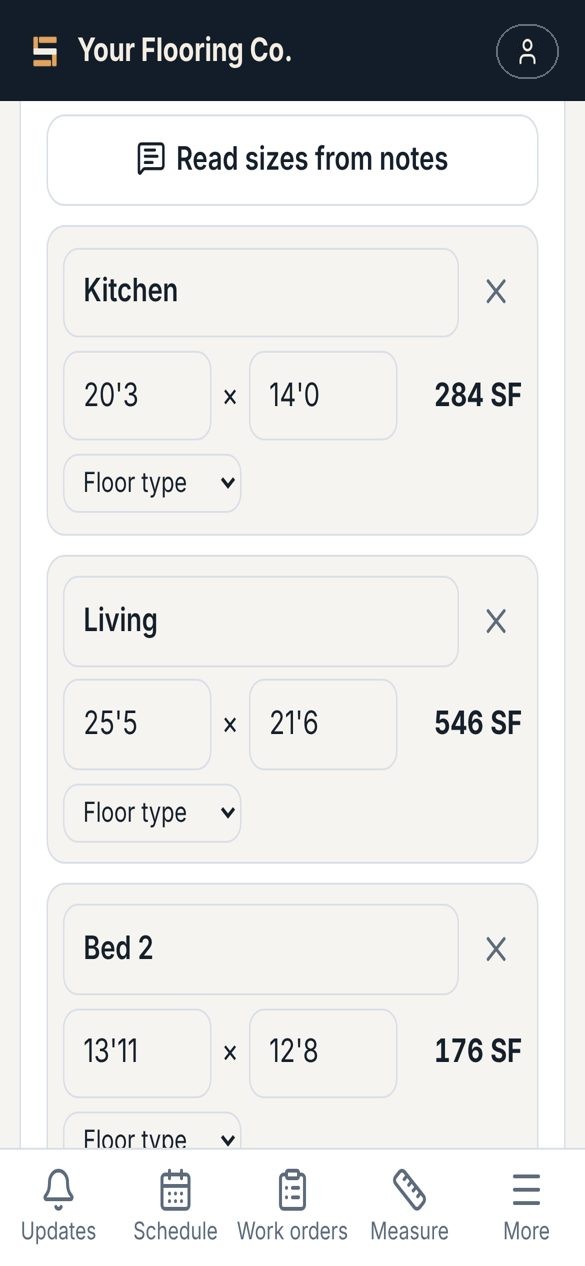
Measure from plans

Upload a floor plan (PDF or photo) and Sublay reads every room size, then reads it a second time and checks the two against each other. It flags anything that looks off, so you check a few sizes instead of typing them all.

  • Rooms, showers, tub surrounds and backsplash
  • Square feet by floor type, and wall tile and trim
  • A separate plan for each floor? Read them one by one into one list
  • Crew texted their sizes? Paste them or snap a photo of their notes
Room sizes read from a floor plan

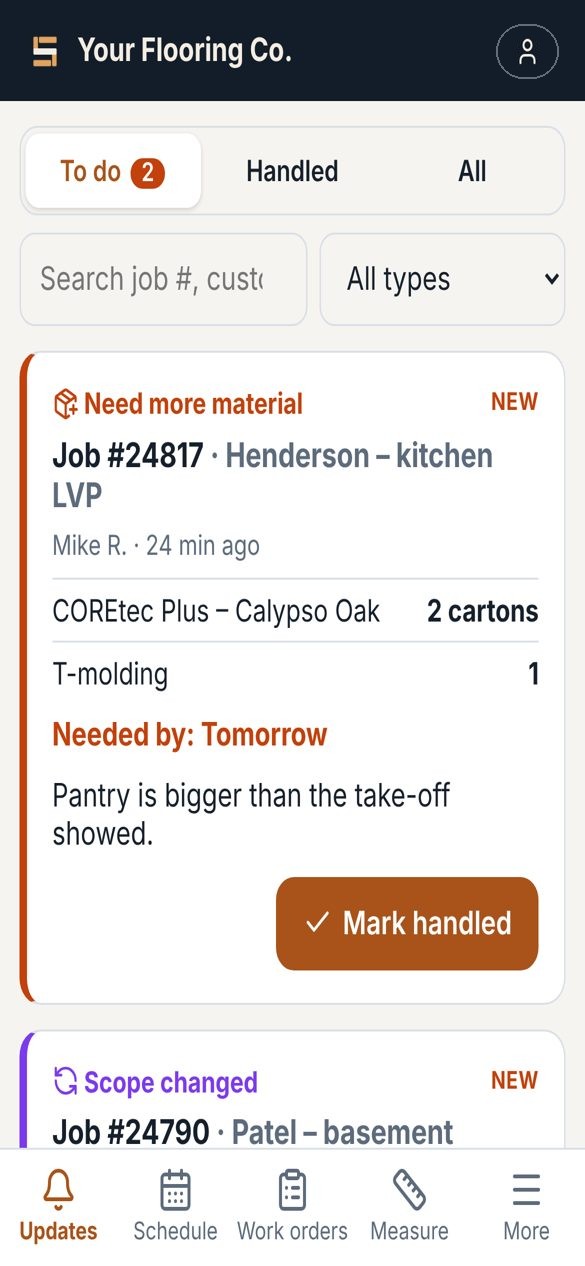
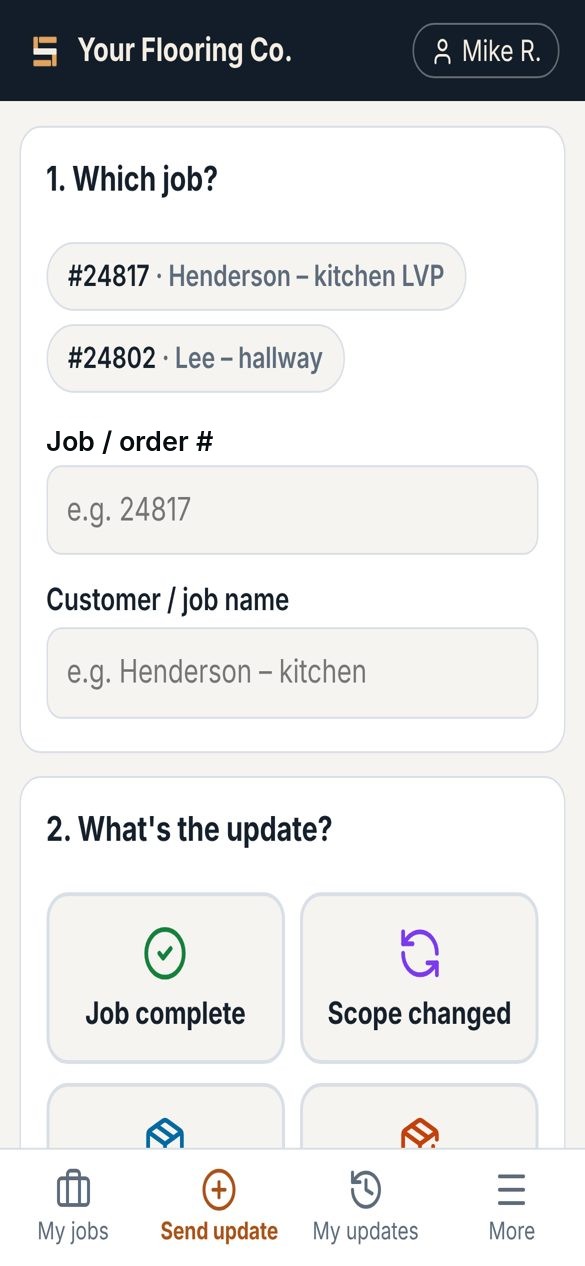
Job updates the office can act on

Installers tap what happened: job complete, scope changed, picked up material, need more material, or a problem. Photos, notes, and the homeowner's signature on scope changes come with it. The office gets an alert and marks it handled.

  • Works with no signal; sends when they're back in range
  • Sign in with a code the office texts them. No passwords
  • Service calls for leaks and callbacks, with urgent ones up top
Sending a job update

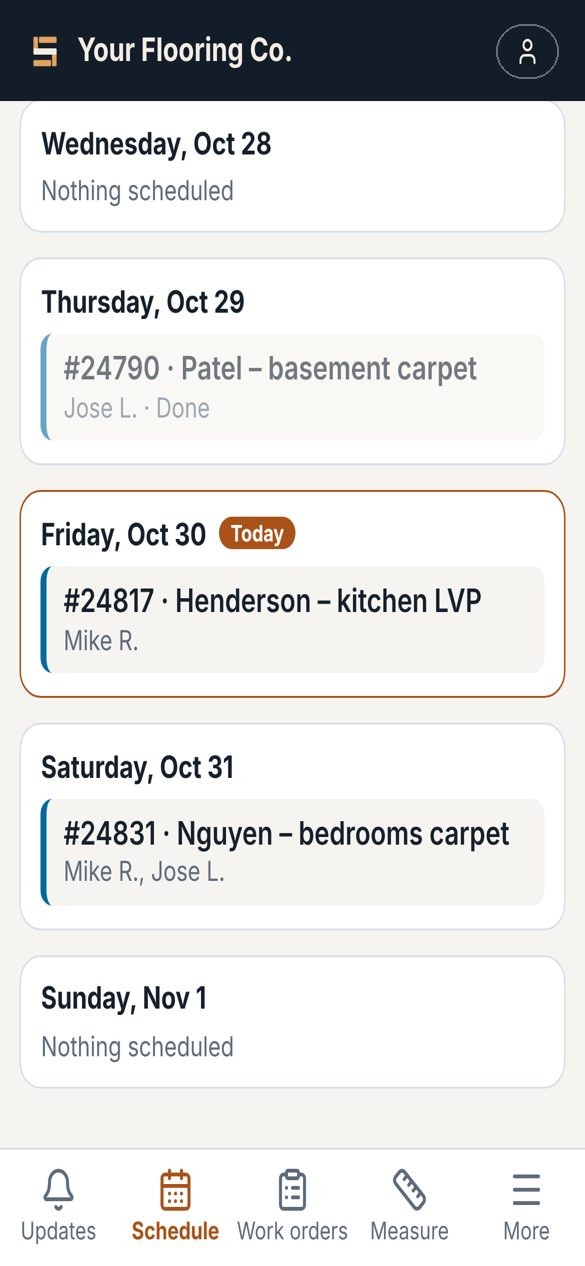
Work orders, schedule and plans in their pocket

Send a job to one installer, a sub, or "anyone available" and the first to tap I'll take it gets it. The plans go with the job, so the crew can open them on site. See the week, the month, or a map of where everyone's headed.

  • Prices on work orders are found and blacked out before the crew sees them
  • Time-off requests, with a warning if you book someone on a day off
  • Subcontractors get a private link per job, with no app needed
The week's schedule

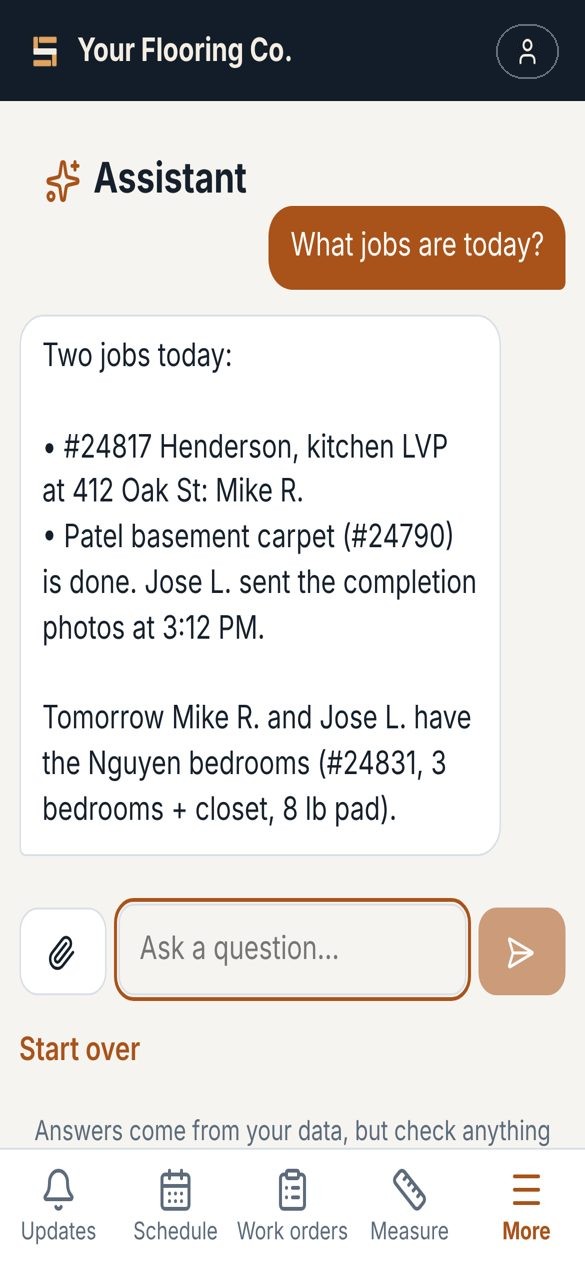
Ask the Assistant

Ask in plain English: who's on the clock, what someone worked on yesterday, square feet measured this week, which service calls are still open. It can set up a work order as a draft for you to check and send.

The Assistant answering a question

Time clock with job-site checks

Clock in to a job, switch jobs, clock out. Flags anyone away from the job site, and sends a weekly timesheet to your CPA, with the pay week set to start on whatever day yours does.

Quotes, invoices and vendor bills built in

Build polished quotes from your own catalog, send invoices, record payments, and pay vendor bills, all in one place. Measurements also export as a spreadsheet.

Built for the guys in the field

Big buttons, plain words, nothing buried. A short tour on day one and a Help page with the answers they'd otherwise call you for.

Pricing

One price. Your whole team.

$299/month
  • Unlimited installers and office people
  • 30 plan reads a month, more any time at 10 for $30 (texted notes don't count)
  • Every feature: work orders, updates, time clock, schedule, Assistant
  • 14-day free trial, no card needed
  • Cancel anytime; your jobs and timesheets stay yours
Start your free trial

Questions

Do I pay per user?

No. $299 a month covers your whole company, however many installers and office people you have.

What counts as a plan read?

Each plan you upload to have the room sizes read. You get 20 a month, and they start over on the 1st. Need more? Buy 10 extra for $30 right in the app; extra reads don't expire. Reading the crew's texted or handwritten notes doesn't count.

Can it replace my estimating software?

Yes. Sublay builds quotes from your catalog and labor prices, sends invoices, tracks payments and vendor bills, and runs the field side: work orders, updates, the time clock and measurements. Measurements can also be exported as a spreadsheet if you need them elsewhere.

How do installers get the app?

You add them and text them a sign-in link. It works on any iPhone or Android and goes on their home screen like any app. Google Play and App Store versions are on the way.

Do I need to be good with computers?

No. If you can send a text, you can run Sublay. A Getting Started checklist walks you through setup in a few minutes.

What happens after the trial?

Subscribe to keep going. If you don't, everything stays saved and you can still look at it, but nothing new can be added until you subscribe.

Give your crews an app they'll use.

Start your 14-day free trial